Getting Started
Follow this guide to quickly start your first session.
Virtual MIDI Cable
Download and install Virtual MIDI Cable. This will create a virtual audio device on your computer with a total of eight MIDI input/output virtual cables.
PureData
Download and install PureData, then confgure the MIDI input as follow:


Last step is to open the example.pd patch and activate DSP mode from PureData main window.
Download the Application
The core of this project is the Python application: is where all the magic happens.
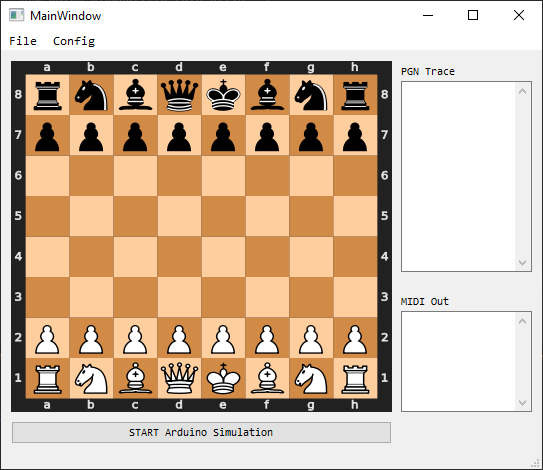
From this window it’s possible to load a pre-saved match and start the execution in auto mode (this does not even require a physical chessboard).
Configure the MIDI communication from the menu Config -> MIDI.
Note
Make sure to select the same MIDI device already configured in PureData.
From the File menu, load the
deep_blue_kasparov_1996.pgnmatch.
Once the match file has been loaded, the application should run and you shuld be able to hear something…
Get a Working Chessboard
Now that you succesfully run your fisrt session, it’s time to add a real chessboard and start the live mode.
You can get an already made chessboard or go DIY. The process of makig it by yourself is quite straightforward however, some basic soldering and programming skills are required.